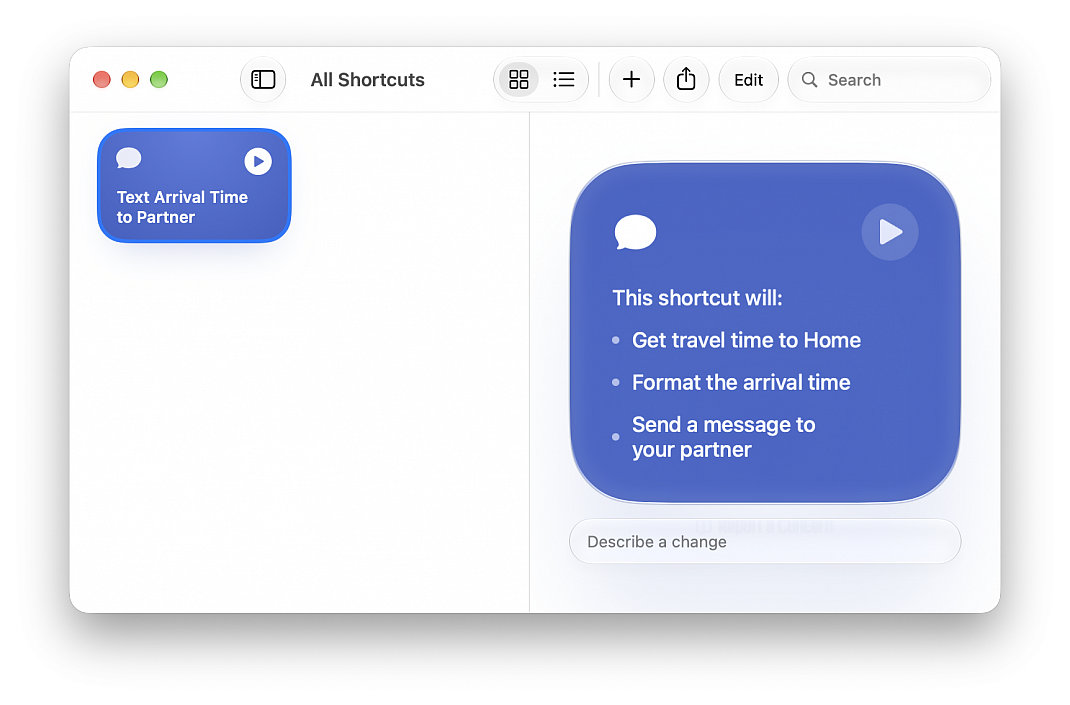
Create Shortcuts with Apple Intelligence
Posted in
On macOS 27 Golden Gate, Apple Intelligence is now in Shortcuts in a wildly convenient way; you can now create Shortcuts and automated tasks by describing what you want the task to do in plain English.
With Apple Intelligence, you can create a custom shortcut just by describing what you want.
• In the Shortcuts app on your Mac, click the Add button in the toolbar
• Describe in normal language what you would like the shortcut to do, for example: "Whenever I'm leaving work, calculate the driving travel time home, and text my partner the arrival time."
• The Shortcuts app creates and names a shortcut based on your input
• To test your new shortcut, click Play button
• You can describe a change or hit edit to modify the contents directly
Note: Apple Intelligence on macOS 27 is not available in all languages or regions.