Sign a PDF from Mail on Mac
Posted in
While you might think you have to print out a document, physically sign it, scan it and send it back, thankfully there is an easier way. It's possible to sign PDFs directly from the Mail app so there's no need to waste any paper.
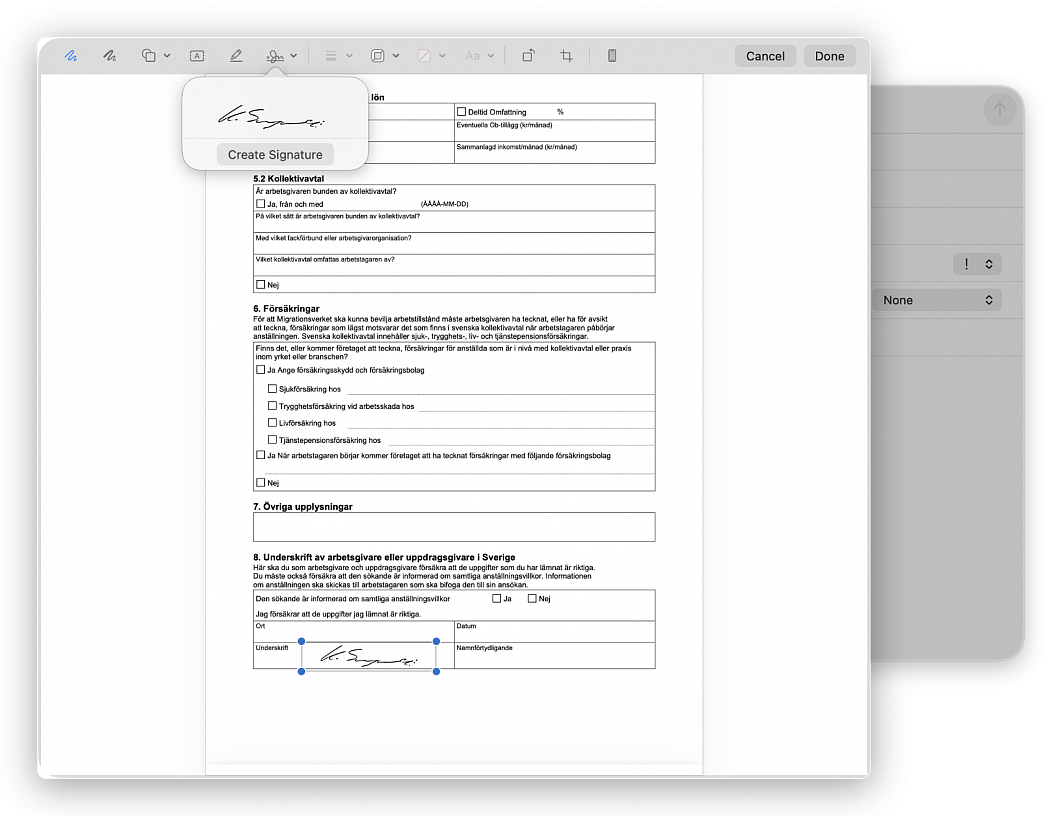
Drag the PDF you need to sign into a new email in Mail. Hover over it to see a small arrow button appear in the top right corner. From here, select Mark Up. The PDF will then open and you'll see a signature option at the top - it's the icon with a squiggle that looks like a signature with a cross to the left.
You can either select a signature you have used in the past, or you can create a new signature. If you choose to create a new signature, you can either use the trackpad on your Mac to draw one, your iPhone, or you can write your signature on a piece of paper and then hold it up to the webcam on your Mac.