Stop Safari from suggesting to create or save passwords
Posted in
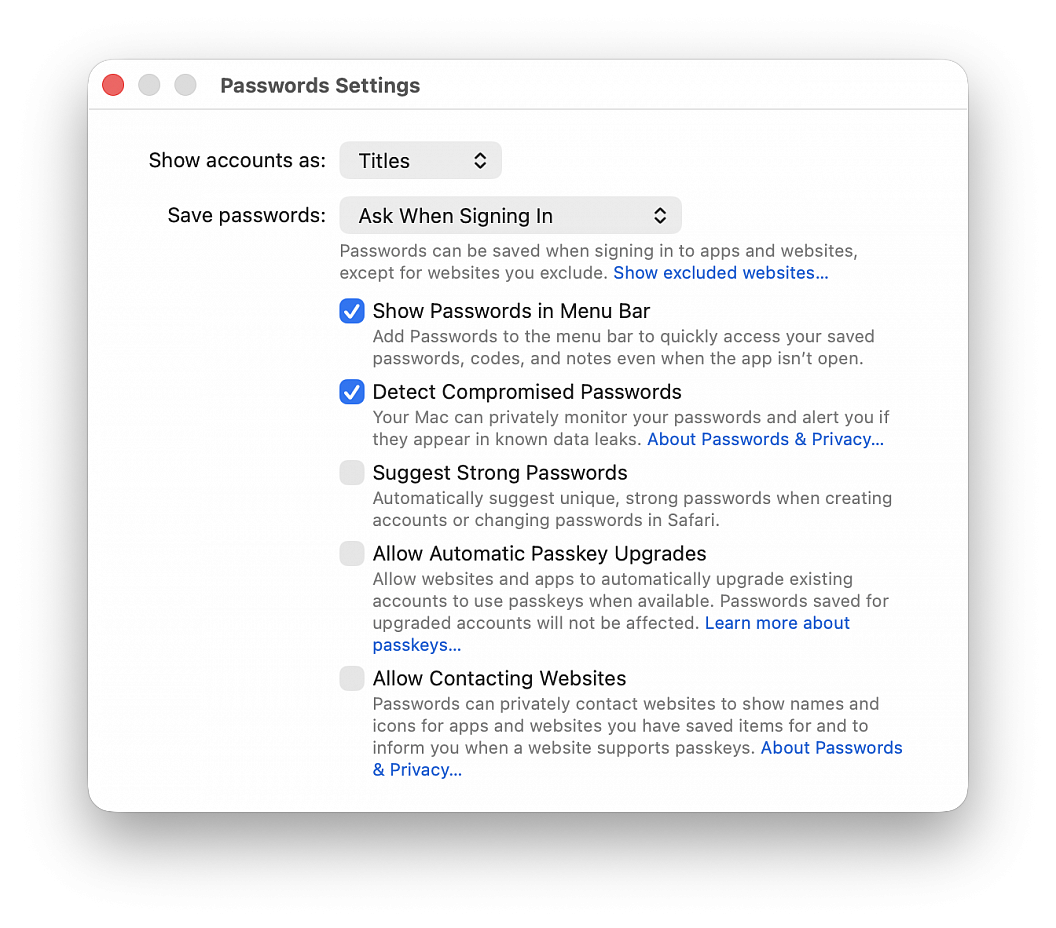
Find out what to do if you don’t want the Apple Passwords app to suggest you create and use a strong password or give you the choice to save passwords.
This is particularly helpful if you use a third-party password manager or prefer managing your login credentials manually.
• Open the Passwords app
• Choose Passwords > Settings in the top menu bar, then authenticate with Touch ID or your computer password
• Uncheck Suggest Strong Password
You’ll no longer get suggestions in Safari to create a new password (and save it to the Passwords app) when you’re signing up for a new account on a website or changing the password of an existing website. But you should still see a tiny key icon in the password field, which you can click to generate a new password. If you don’t want to see even the tiny key icon in the password field to use the Passwords app, go to Safari settings > AutoFill and uncheck the box for "User names and passwords".