About Spotlight indexing
Posted in
Spotlight is Apple’s system-wide search feature, and it relies on a regularly updated search index of the data stored on your device. This is a local, private index that stays on your Mac and isn’t shared with Apple or your other devices. Spotlight uses this index to help you find files, folders, and apps, including a wide range of content such as documents, email, text messages, contacts, photos, music, podcasts, notes, system settings, and much more. Siri can also use content from the index when responding to your requests.
Spotlight indexes your Mac so that you can search its contents. Indexing happens when you first set up your Mac, after you install a software update or upgrade, and as data changes on your device. For example, the index updates when you install new apps that allow their content to be indexed, or you receive new email or text messages.
Depending on the amount of data on your Mac, Spotlight indexing can take hours or even days. Incremental updates after that are much faster. Indexing completes more quickly when:
• Your Mac is not in use
• Your Mac is connected to power
• Your Mac is connected to the internet via Wi-Fi or Ethernet, in case email or other data needs to be downloaded for indexing
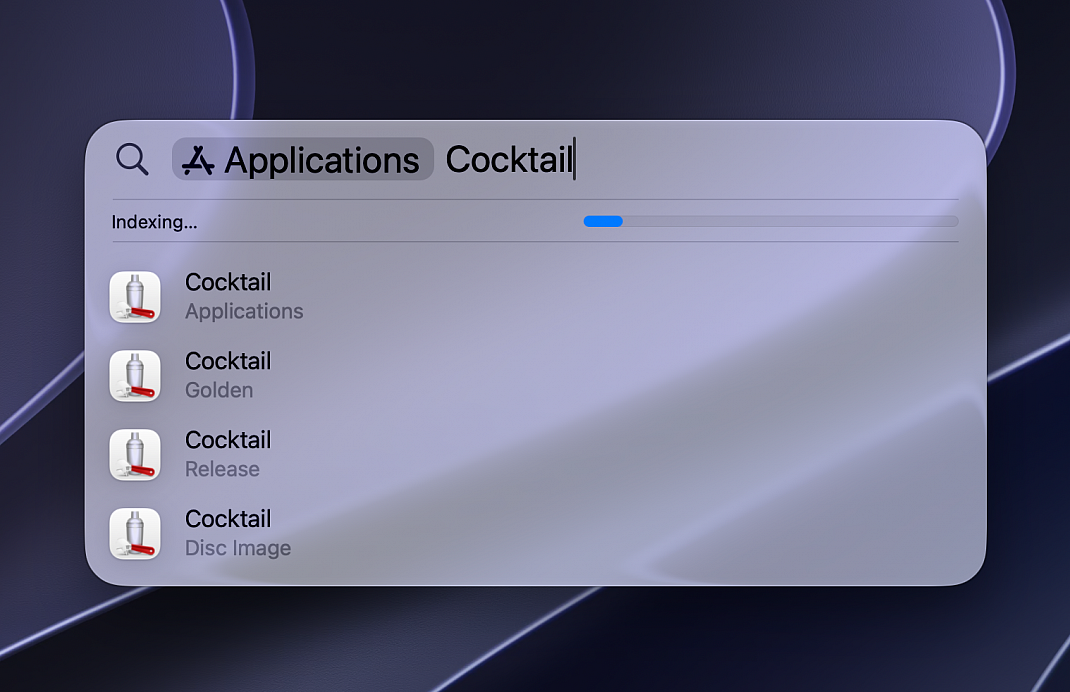
While indexing is in progress on a Mac, you may see one an indexing progress indicator at the top of the Spotlight or Siri window that opens when you press Command–Space bar or a notification from Mail that indexing is incomplete.
If Spotlight gives unexpected search results isn’t finding a certain type of content, check Spotlight settings to find out whether that type of content is turned on for Spotlight searches. From the Apple menu , choose System Settings, then click Spotlight (or Siri & Spotlight) in the sidebar and review the settings.
Rebuilding the Spotlight index can help resolve stubborn search issues, simply launch Cocktail, go to the Spotlight tab, choose disk, make sure that indexing on this disk is enabled, click Erase and macOS will generate a new index from scratch.