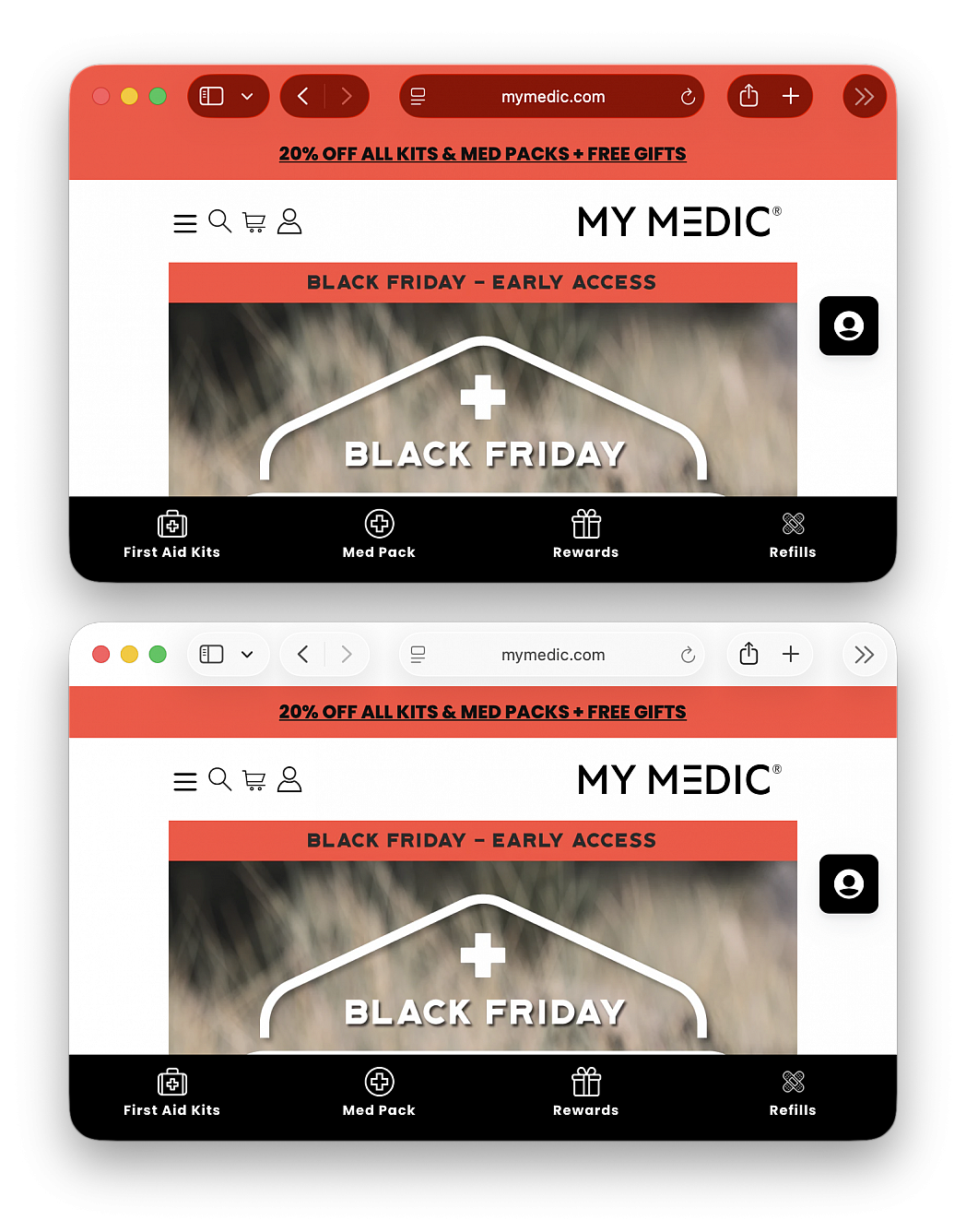
Disable Safari color tinting on macOS Tahoe
Posted in
The latest versions of Safari use an aggressive tinting feature by default that changes the color the Safari window and titlebars to whatever color is detected on the top of a particular webpage. This can cause some visually jarring experiences when browsing the web, and if the colorful windows and titlebar experience is not something you like, you’ll be happy to know that you can easily turn the Safari color tinting feature off.
Color tinting in the Safari titlebars and window bars is not a new feature, but even if you had it disabled on prior versions of Safari, if you recently upgraded to macOS Tahoe you will likely find this feature has enabled itself again automatically, and thus you need to disable it again.
If you are tired of the garish color changing of the window titlebars, here’s how to disable that:
• From Safari, pull down the ‘Safari’ menu and choose “Settings...”
• Go to “Tabs”
• Uncheck the box for “Show color in tab bar”
The change takes effect immediately.